


1. Introduction about Training and Support After New Software Launch
After successfully deploying new software, transitioning to everyday use can be challenging. Post-implementation support is essential for this phase.
Without proper support, employees may struggle, leading to frustration and decreased productivity. A robust support framework can help your team adapt and fully benefit from the new software.
Key Points:
- Post-Implementation Support: Ensures employees are not left to navigate the new system alone.
- Employee Adaptation: Continuous support helps teams adapt and thrive.
- Maximize Benefits: Proper support allows for the full utilization of new software.
Let’s explore:
- Different types of training and support mechanisms
- Post-implementation challenges
- Best practices and real-world case studies

2. The Role of Training
2.1. The Importance of Comprehensive Training Programs
Modern software solutions may be user-friendly, but they still require focused training. Comprehensive programs should include hands-on practice so employees become comfortable with new interfaces, functionalities, and workflows, ensuring optimal operational efficiency.
2.2. User Adaptation to Evolving Roles
New software often shifts roles and responsibilities. Effective training helps employees navigate these changes and embrace new roles, enhancing both individual performance and team cohesion.
For example, mid-sized companies often reassign someone from the Core Team to become the ERP system expert.
2.3. Ongoing Skills Development
Continuous skill development should begin early and remain crucial through go-live and beyond. Regular training sessions during the commissioning phase and beyond can ease transitioning challenges, help employees adjust to future updates, and prepare them for what’s next. Key benefits include:
- Fostering a culture of continuous learning
- Maintaining a competitive and innovative workforce
Additionally, having an in-house ERP point person ensures ongoing support and cost-effective optimization of the ERP system, which is vital for high-performing businesses.
Small and mid-sized companies should particularly focus on nurturing internal expertise to ensure smooth operations and readiness for future technological advancements.

3. Types of Training
To effectively support employees after the software implementation, it’s crucial to offer a variety of training methods that cater to different needs. Let’s explore how these methods can be integrated:
3.1. Onboarding Sessions
Onboarding for new employees is an essential component. These sessions should introduce the company’s software systems and provide a robust foundation for new hires. A well-structured onboarding program ensures that new team members can navigate the software from day one, reducing their initial learning curve and boosting their confidence.
3.2. Customized Training
Beyond standard onboarding, customized training addresses the bespoke needs of specific roles, because customization means every department and job function has unique requirements. Tailoring training programs to these specifics ensures that each team member acquires the necessary skills to perform their tasks efficiently. For example, sales teams might focus on CRM functionalities, while finance teams may need deeper training on accounting software, with configuration choices also shaping how each team uses the system. Tailored sessions also help users understand any automation built into their workflows.
3.3. Continuous Learning
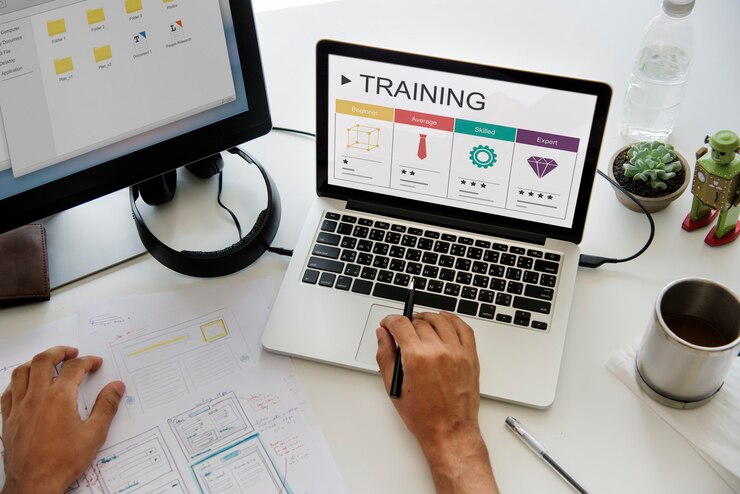
Technology and processes evolve continuously, making continuous learning opportunities indispensable. Refresher sessions also help users track changes in features and workflows over time. Offering regular workshops, webinars, and refresher courses helps employees stay updated with the latest software features and best practices. Investing in continuous learning fosters a culture of perpetual growth and adaptability within the organization.
Incorporating these diverse training strategies will not only maximize the benefits of your software but also enhance overall productivity and job satisfaction among employees.
4. Support Mechanisms
When your employees encounter issues or have questions post-implementation, a robust support system can make all the difference. Here’s a deeper look into the support mechanisms your team will have access to:
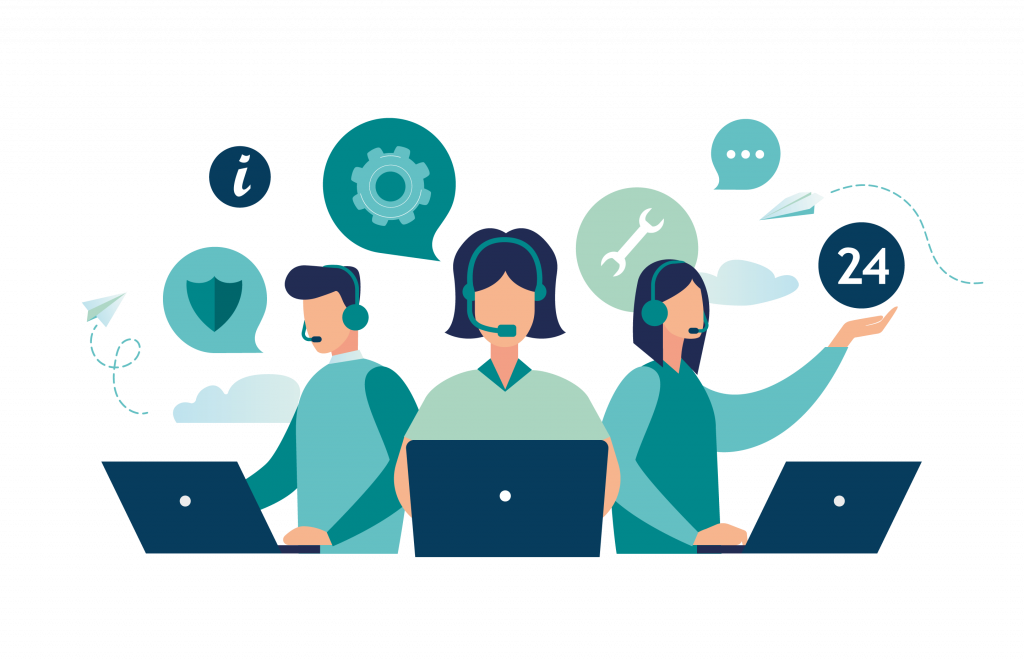
- Help Desk Support: Immediate assistance is just a call or click away. With our 24/7/365 help desk, your employees always have access to professional support, minimizing downtime and keeping operations smooth. Our fast turnaround times and a comprehensive Zendesk tracking system help track every query efficiently.
- Troubleshooting Guides and FAQs: For those who prefer to find solutions independently, our extensive library of troubleshooting guides and FAQs is invaluable. These resources are designed to address common issues and provide step-by-step solutions, empowering users to resolve problems quickly.
- User Assistance through Chat or Email: Personalized support is available through chat or email. Whether it’s quick advice or a detailed explanation, our support team provides tailored assistance, ensuring users feel confident and capable in their new system.
Beyond these tools, regular site visits from support staff ensure your team remains proficient, and recurring issues are promptly identified and addressed. Additionally, having an in-house ERP point person a bridge between your organization and the solution provider can provide ongoing support, continuously optimizing your ERP system for peak performance.
5. Post-Implementation Challenges
In this section, we will outline the various training and support mechanisms available to ensure employees successfully adapt to newly implemented software.
5.1. Resistance to Change
Resistance is common during software implementation, but it is easier to reduce when stakeholders and company leaders are involved early. Communicate benefits from the start for the company as a whole, such as:
- Eased tasks
- Enhanced efficiency
- Improved job satisfaction
5.2. Risk of Software Abandonment
Despite efforts, abandonment might occur due to:
- Lack of engagement
- Perceived complexity
Counter this with:
- Interactive tutorials
- Q&A sessions
- Dedicated helpdesk
5.3. Mitigating Frustration
Initial difficulties can overwhelm employees. Address this by:
- Implementing a training matrix
- Providing structured, step-by-step training
5.4. In-House ERP System Point Person
This individual offers continuous support, often sourced from the Core Team, ensuring quick issue resolution and promoting software use.
5.5. Creating a Supportive Environment
This involves:
- On-site and off-site support
- Promoting continuous learning and adaptation
This approach minimizes resistance and abandonment while enhancing engagement and job satisfaction.
6. Best Practices
Ensuring effective post-implementation support is crucial for the sustained success of your newly implemented software. Here are some personalized recommendations to seamlessly navigate this phase:
6.1. Continuous Evaluation
- Regularly monitor the system’s performance and evaluate whether it is performing as expected.
- Identify and address inefficiencies early.
- Ensure smooth operations and optimal performance, and review any limitations affecting performance or adoption.
6.2. Establishing a Feedback Loop
- Create channels for user feedback, such as surveys, forms, and forums, to help establish a clear process for collecting user input.
- Encourage employees to share their experiences and suggestions across different aspects of the software experience.
- Use feedback to define which issues need action first.
- Address pain points based on user perspectives.
6.3. Adaptation
- Stay flexible based on evolving needs, and update the plan as needs evolve.
- Update training materials and support methods as required.
- Teams may need to adjust support methods and training materials over time.
- Ensure support remains relevant and valuable.
- Use recurring user needs to develop improvements over time.
By integrating these strategies, you enhance the overall user experience and foster a supportive environment, building employee confidence in using the new software.
7. Case Studies and Real-World Examples
Here are some real-world examples of companies that have successfully executed training and support strategies to ensure successful software implementation and user adoption:
7.1. . Mindfield Consulting
Mindfield Consulting emphasizes the importance of training and support in software implementation. They focus on helping users adapt to changes in their roles, onboarding new team members, and collaborating with the vendor for support during implementation. Their support services not only prevent issues but also continuously evolve the platform to meet ever-changing organizational needs.
7.2. Accessplanit
Accessplanit dedicates itself to providing a seamless implementation process for their training management software. Their services include a dedicated implementation team with a clear project plan, personalized training sessions, and ongoing support, plus a detailed plan for rollout and support, which creates a strong foundation for successful implementation and optimal platform use.
7.3. Planet SHIFT Inc.
Planet SHIFT Inc. collaborates with Mindfield Consulting to deliver expert training and comprehensive support for their clients. Together, they ensure users are well-prepared to effectively leverage the new technology and achieve the desired outcomes.
7.4. SAP
SAP offers a wide array of training and support options for their enterprise software solutions, helping firms manage complex enterprise software needs. They provide instructor-led training, online courses, and self-paced learning modules, along with dedicated support teams to help users solve issues and maximize their software experience.
7.5. Oracle
Oracle is committed to offering an extensive range of training and support services for their software solutions. Their offerings include instructor-led training, online courses, and self-paced learning modules. Oracle’s dedicated support teams and extensive knowledge base facilitate troubleshooting and optimization of software use. Oracle also helps clients integrate software with existing business systems.
7.6. Microsoft
Microsoft goes above and beyond with its expansive training and support services for their software solutions. Users can benefit from instructor-led sessions, online courses, and self-paced learning modules. Microsoft training resources basically help users create clear internal guidance as they learn the system. Additionally, Microsoft provides dedicated support teams and a comprehensive knowledge base to assist users in resolving issues and enhancing software utilization.

7.7. Salesforce
Salesforce excels in providing comprehensive training and support for their CRM software. Their services include instructor-led training, online courses, and self-paced learning modules. To ensure users get the most out of the software, Salesforce offers dedicated support teams ready to help troubleshoot any challenges.
7.8. Workday
Workday offers robust training and support for their HCM and financial management software. Their resources include instructor-led training, online courses, and self-paced learning modules. With dedicated support teams on hand, Workday ensures that users can resolve issues quickly and optimize their software use.
7.9. Infor
Infor is known for its comprehensive training and support services for enterprise software solutions. They provide instructor-led training, online courses, and self-paced learning modules. Infor’s dedicated support teams are available to help users troubleshoot problems and maximize their software capabilities.
7.10. Epic Systems
Epic Systems takes training and support seriously for their EHR software. They offer a variety of training methods, including instructor-led training, online courses, and self-paced learning modules. Epic Systems’ dedicated support teams are always ready to help users with any issues, ensuring a smooth and effective software experience.
8. Conclusion
Training and support after software implementation are not just optional add-ons; they are essential for ensuring that your team can fully leverage the new tools and technologies. The initial training provides a foundation, but ongoing training ensures that employees can adapt to updates, explore advanced features, and continuously enhance their skills.
Ongoing support is equally vital. It serves as a lifeline for employees as they encounter obstacles or have questions about using the software. Whether it’s through a dedicated in-house ERP point person or a 24/7/365 support package, dependable support mechanisms can dramatically minimize downtime and enhance productivity.
8.1. Personalized Assistance
- Tailored support for individual needs
- Reduces frustration and inefficiencies
- Fosters a positive work environment
8.2. Continuous Improvement
- Stay ahead with regular updates
- Training on new functionalities
- Maximize software capabilities
8.3. Issue Resolution
- Critical post-roll-out support
- Swift issue resolution
- Prevent escalation into larger problems
Robust training and support mechanisms are indispensable for continuous success and growth. They empower your team to use the new software effectively, ensuring that your investment delivers maximum benefits over the long term.
FAQs
Q1. What kind of training will be available to employees after software implementation?
Employees will have access to a variety of training options, including onboarding sessions, customized training tailored to specific roles, and continuous learning opportunities to keep skills up-to-date.
Q2. How will support be provided to employees during the transition phase?
Support will be available through multiple channels such as 24/7/365 direct support, regular site visits by experts, and tracking systems like Zendesk for efficient issue resolution. This also includes hands-on help during setup and extra guidance throughout the initial setup period.
Q3. Why is comprehensive training important for software implementation?
Comprehensive training ensures that employees understand how to use the new software effectively, which can enhance productivity and reduce the risk of errors. It should also include testing whether users can complete key tasks as expected before go-live.
Q4. What are the common challenges faced post-implementation?
Common challenges include resistance to change, the risk of software abandonment, and user frustration. These issues can be mitigated with strong training and support systems.
Q5. What is the role of an in-house ERP point person?
An in-house ERP point person serves as the go-to expert on the ERP system, providing immediate answers and ongoing support to enhance system use and functionality.
Q6. How can a supportive environment be created during software implementation?
A supportive environment can be created by establishing a feedback loop, providing continuous evaluation, and ensuring open communication channels for addressing concerns and suggestions. Teams should also plan communication, define responsibilities, and involve stakeholders from the beginning.
Q7. What types of companies might need a dedicated support role post-implementation?
Mid-sized companies may need to create a dedicated support role, while small companies might nurture someone from the core team to become the functional ERP expert. That need can be greater when coordinating with software vendors or managing related costs after launch.