


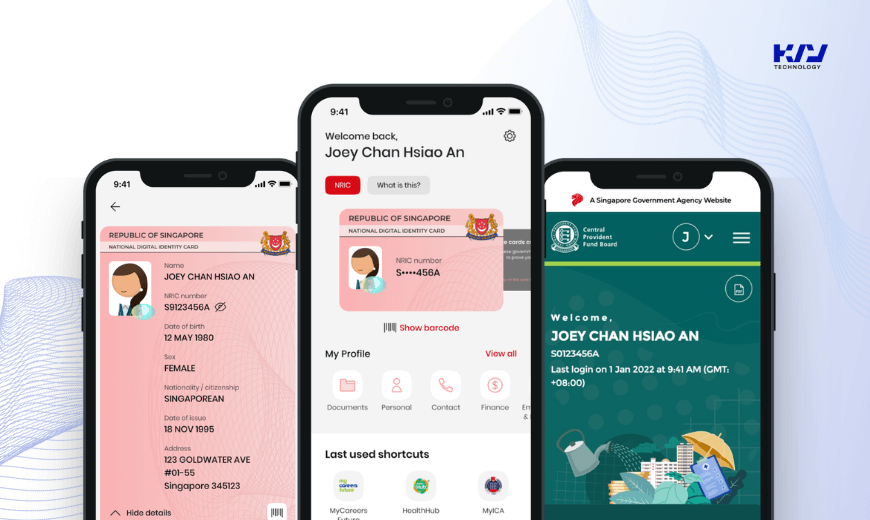
CorpPass and SingPass remain two fundamental digital identity systems in Singapore’s government digital services landscape as of 2026. While both CorpPass and SingPass serve as gateways to accessing government e-services, they cater to different user types and have evolved to include new features and stricter security protocols reflecting the latest technology and regulatory requirements.
Understanding the updated differences between CorpPass and SingPass is essential for individuals, businesses, and other entities alike, as it ensures the appropriate utilization of these platforms and maximizes their benefits. This article explores the current distinctions and enhancements in CorpPass and SingPass.
1. The Definition of CorpPass and SingPass
CorpPass: CorpPass, short for “Corporate Pass,” is Singapore’s mandatory digital identity authentication and authorization system for businesses and organizations to securely access a broad spectrum of government digital services. Since 2016, CorpPass registration has been mandatory for all e-government services requiring business authentication, streamlining Singapore corporate access.
CorpPass enables authorized representatives of registered entities to create accounts, sign in, and proceed with various transactions such as applying for business grants, submitting corporate taxes, and other compliance-related tasks. It supports role-based access control, allowing organizations to manage their team members’ permissions efficiently.
SingPass: SingPass, standing for “Singapore Personal Access,” continues to be the national digital identity for individuals in Singapore. It provides residents with a single, secure login to access hundreds of government digital services, including healthcare, taxation, housing, and personal data management.
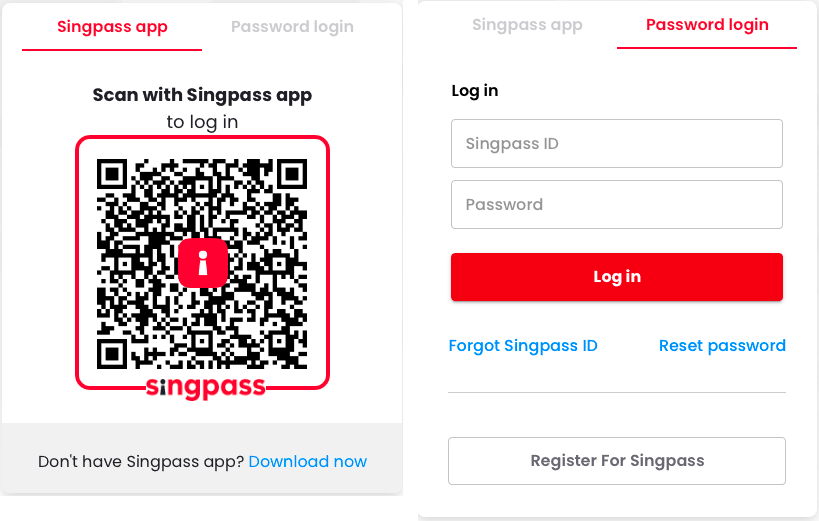
SingPass now incorporates advanced multi-factor authentication, biometric logins, and passwordless options for enhanced security and ease of use. It also simplifies form-filling across private and public sectors through MyInfo integration, enabling users to view and manage their personal data easily.
Read more: 3 Step-Guide to Integrating SingPass
2. The Key Features
CorpPass:
CorpPass offers:
- Authentication: Two-factor authentication with OTP and digital certificates, plus encryption to protect sensitive business information.
- Authorization: Role-based access control managed by administrators and sub-administrators, allowing precise control over who can access which government digital services.
- Management: Tools to create, manage, and revoke user access, ensuring only authorized team members can transact on behalf of the entity.
- Integration: Seamless integration with multiple government digital services, including business grants applications, corporate taxes submissions, and other essential government digital services.
SingPass:
SingPass features:
- Authentication: Multi-factor authentication including biometrics, OTP, and passwordless options.
- Government Services: Access to a vast range of personal government digital services, from healthcare to utility payments.
- Personal Data Protection: Strong privacy controls with user consent mechanisms and data encryption.
- Mobile App: The SingPass Mobile app offers easy, on-the-go access with biometric sign-in and real-time notifications.
- MyInfo Integration: Facilitates automatic form-filling for government and private sector services, saving time and reducing errors.
3. User Type and Eligibility
SingPass:
- Individual users, including citizens, permanent residents, and foreigners residing in Singapore.
- Required for personal transactions with government agencies and accessing certain e-services.
CorpPass:
- Business entities, including companies, partnerships, sole proprietors, and other entities registered in Singapore, while a foreign entity must register for CorpPass for business use.
- Foreign entities could use SingPass until the end of 2017 but must now register for CorpPass.
- Owners and the registered officer verify identity documents during registration, with the Registered Officer (RO) handling this step; it is important to understand the RO role before registration.
- Mandatory for business-related transactions and accessing specific e-services on behalf of the organization.
4. Purpose and Scope of Use
SingPass:
- Designed for individuals to access personal information and conduct personal transactions.
- Allows interaction with various government agencies for tasks such as filing personal taxes, applying for permits, and accessing healthcare.
CorpPass:
- Tailored for businesses to manage interactions with government agencies and digital services based on operational needs.
- Enables organizations to apply for business grants, handle finance-related dealings with government digital services, submit corporate taxes, and manage compliance, including accounting or payroll filings.
5. Authentication and Security Measures
SingPass:
- Uses a combination of username, password, OTP, biometrics, and passwordless login options.
- The SingPass app enhances security with biometric authentication and real-time alerts, and users should never share login details when accessing services.
CorpPass:
- Requires a unique CorpPass ID and entity registration verified by registered officers.
- Strong security measures include digital certificates, encryption, and role-based access control to protect business information and transactions, help ensure proper delegation, and reduce risk; only an administrator or sub administrator should assign access rights on behalf of the entity.
6. Services and Transactions Supported
SingPass:
- Access to a wide range of personal e-services including healthcare, education, employment, and taxation.
- Simplifies access to government digital services for individuals.
CorpPass:
- Provides access to business-specific government digital services such as licensing, corporate filings, government procurement, business grants, and corporate taxes.
- Supports management of multiple user accounts within organizations, making it easy to assign roles and permissions.

7. How to Register and Troubleshooting
CorpPass Registration:
- Registration is mandatory for all businesses accessing government digital services, and the application process is designed to ensure setup is straightforward.
- One-person operations can create and manage their CorpPass accounts directly through the CorpPass website, though some businesses may need to carry out internal setup tasks before they can complete registration.
- Complex entities should assign administrators to manage the number of user accounts and roles needed, and the administrator can assign access to staff by email where required by the setup flow.
- Registration requires identity verification documents for company owners and registered officers, and a foreign entity may need to provide supporting documents as part of the application.
SingPass Registration:
- Residents can easily sign up for SingPass online or via the SingPass Mobile app.
Troubleshooting:
- Both CorpPass and SingPass provide support teams and online help centers to assist users with common issues, and users can reach the support team by email if they cannot proceed with registration or access issues.
- Users can find FAQs, topics, and step-by-step guides on the official websites to resolve access or authentication problems, so it helps to learn the official requirements before starting so the process is smoother.
8. Which One Should You Follow?
For individuals, SingPass remains the easy and secure way to access personal government digital services. For businesses and other entities, CorpPass is the essential tool to create, manage, and proceed with government transactions securely.
Understanding the differences and following the right platform ensures smoother interactions with Singapore’s government digital services ecosystem. To view more details or get assistance, users can visit the official CorpPass and SingPass websites.
If you are starting your business in Singapore or looking to streamline your corporate digital access, understanding CorpPass vs SingPass in 2026 is vital. For expert integration and support, contact KVY TECH!