

Case study
Every machine and part at Murni, tracked in one system.
Murni Bakery Equipments sells, delivers and repairs bakery machines across Malaysia. We built one system for its stock, machines, deliveries, repairs and quotations, used at desks in the office and on phones on the road, and linked to AutoCount, where finance keeps the books.

Example machine record
Deck Oven 3-Layer
Murni serial BED0002
Received into stockStock manager
Own serial and QR label printed
Quoted and approvedSalesperson
Below the price floor, so the managing director approved it
DeliveredDriver
Checked, QR matched, signed note and photo on site
Serviced on siteTechnician
Two parts scanned from the technician’s van stock
Recorded in AutoCountFinance
Approved by finance, written once
- Client

- Industry
- Bakery machines: sales, delivery and service
- Where
- Malaysia
- What we built
- An operations system for office and phones, and MurniSync, the link to AutoCount
- Status
- Delivered
- 9 weeksto build the operations system
- 5,084spare part codes moved off spreadsheets
- 1,194machine records moved off spreadsheets
- 7 roleseach seeing only its own work
What changed for Murni’s team.
Murni ran on spreadsheets, AutoCount entries made by hand, paper and WhatsApp. Each of those jobs now has one place in the system.
Stock counted in spreadsheetsStock on hand for every part, updated with each movementMachines found by walking the floorA location and condition on every machine, with its historyRepair jobs handed out on WhatsAppJobs assigned in the system and done on the technician’s phonePaper delivery notesThe signed note and a photo, uploaded by the driver on siteQuotations tracked by handApproval rules, then a branded PDFReceipts retyped into AutoCountApproved by finance once, then written for them
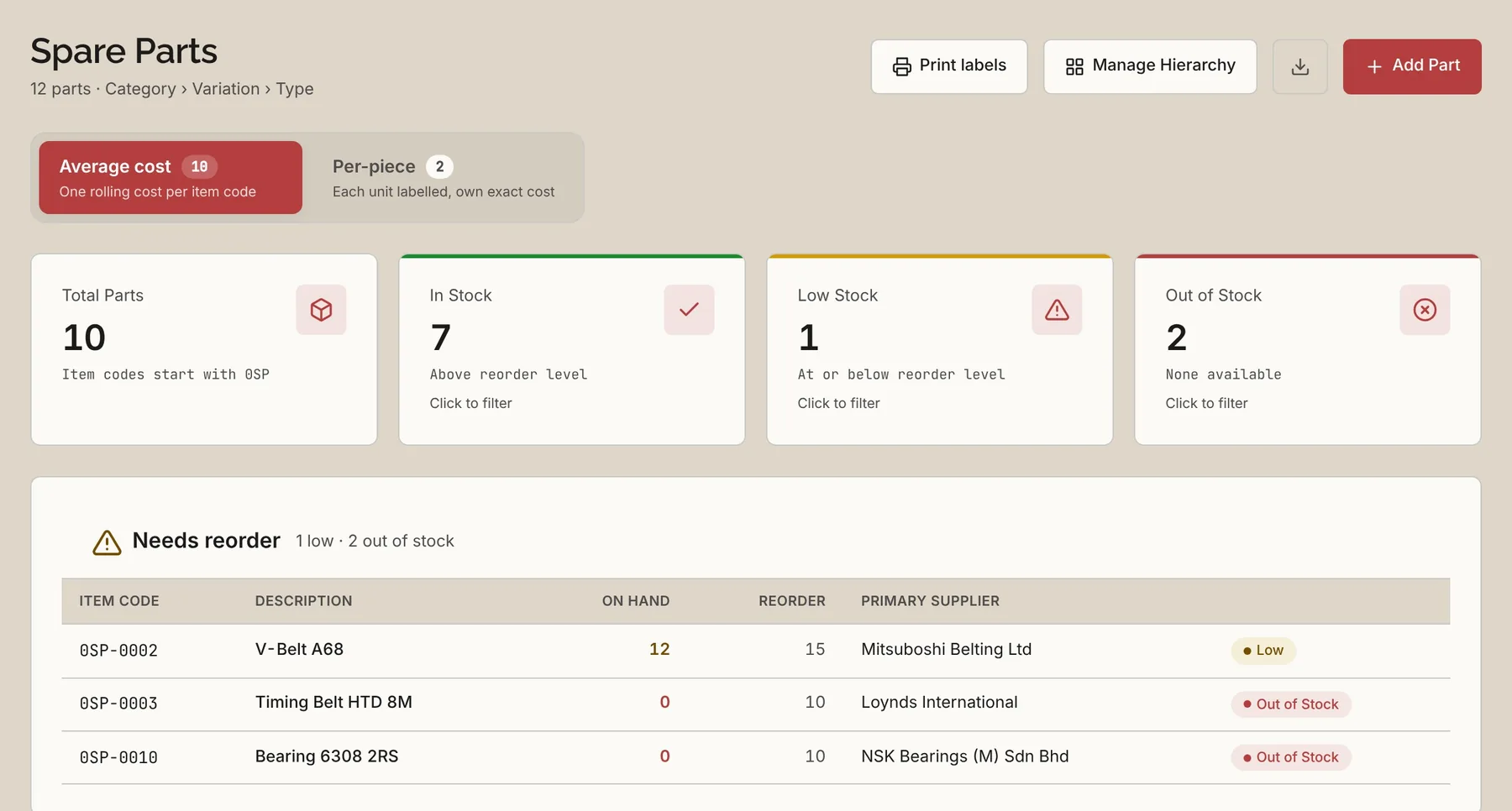
Every part and machine, on one record.
Stock changes only when a movement is recorded, so the number on screen is the number on the shelf.
Seven ways out of the warehouse
Repairs at Murni or on site, van stock, standby parts with a new machine, parts lent for a trial and customer orders each have their own form.
Van stock per technician
Parts in a technician’s van are counted against that technician until they’re used on a job or returned.
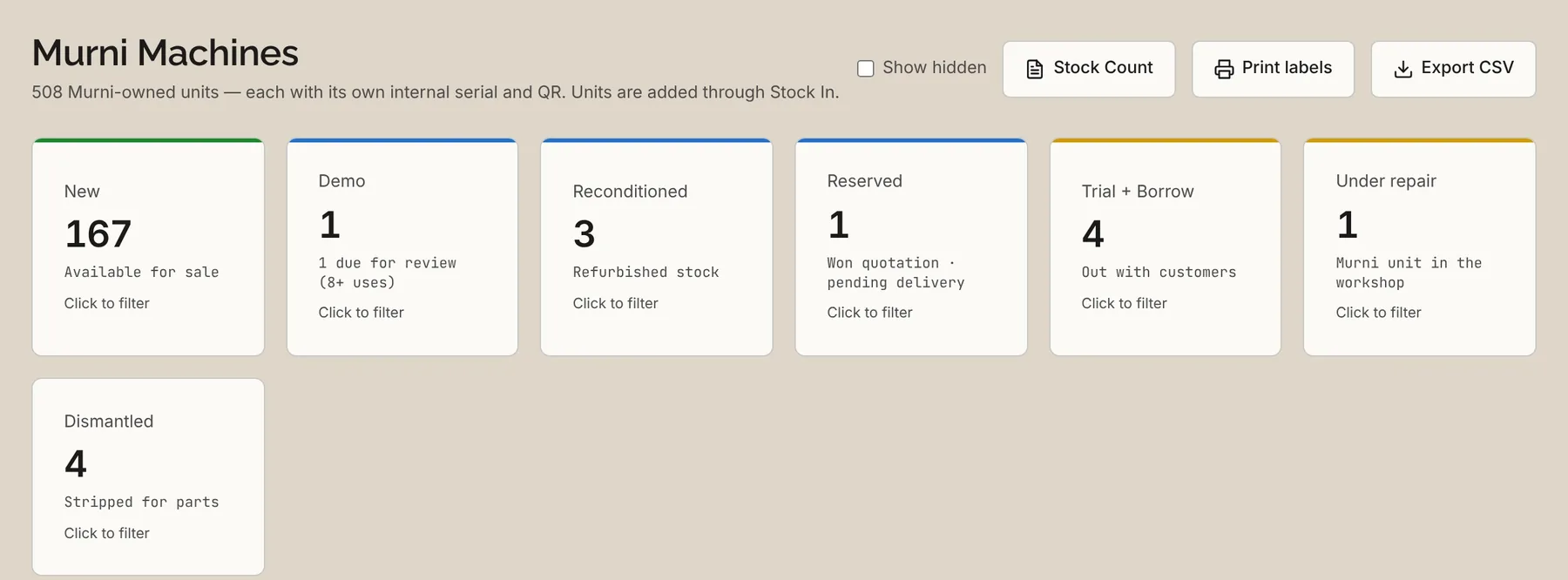
Every machine on its own record
Its own serial and QR label, its condition, from new to reconditioned, on trial or sold, and where it is. Customer machines in for repair never count as Murni’s stock.
Drivers and technicians work from their phones.
In the phone’s browser, with nothing to install. The camera reads machine QR codes and part barcodes.
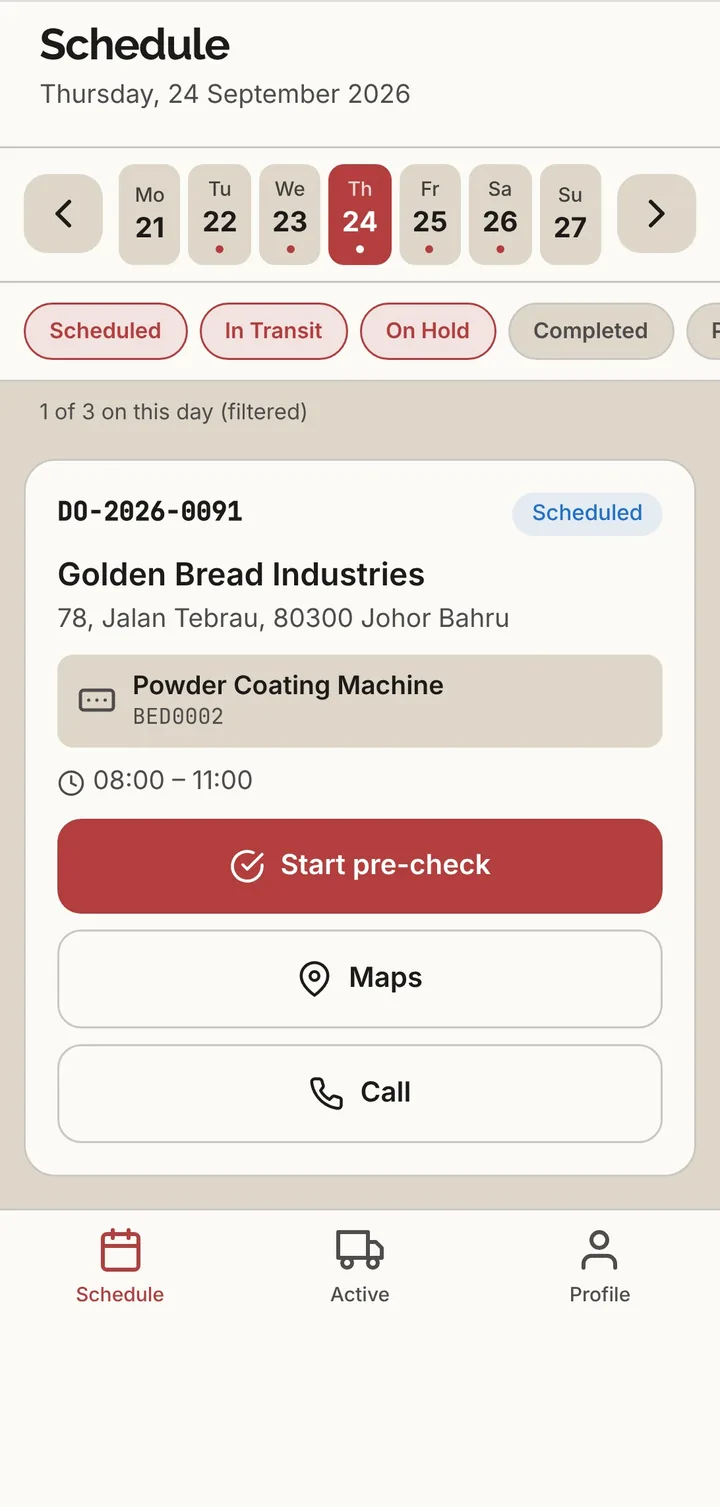
The driver’s day
Each delivery with its machine, address and time, plus maps and a call button.
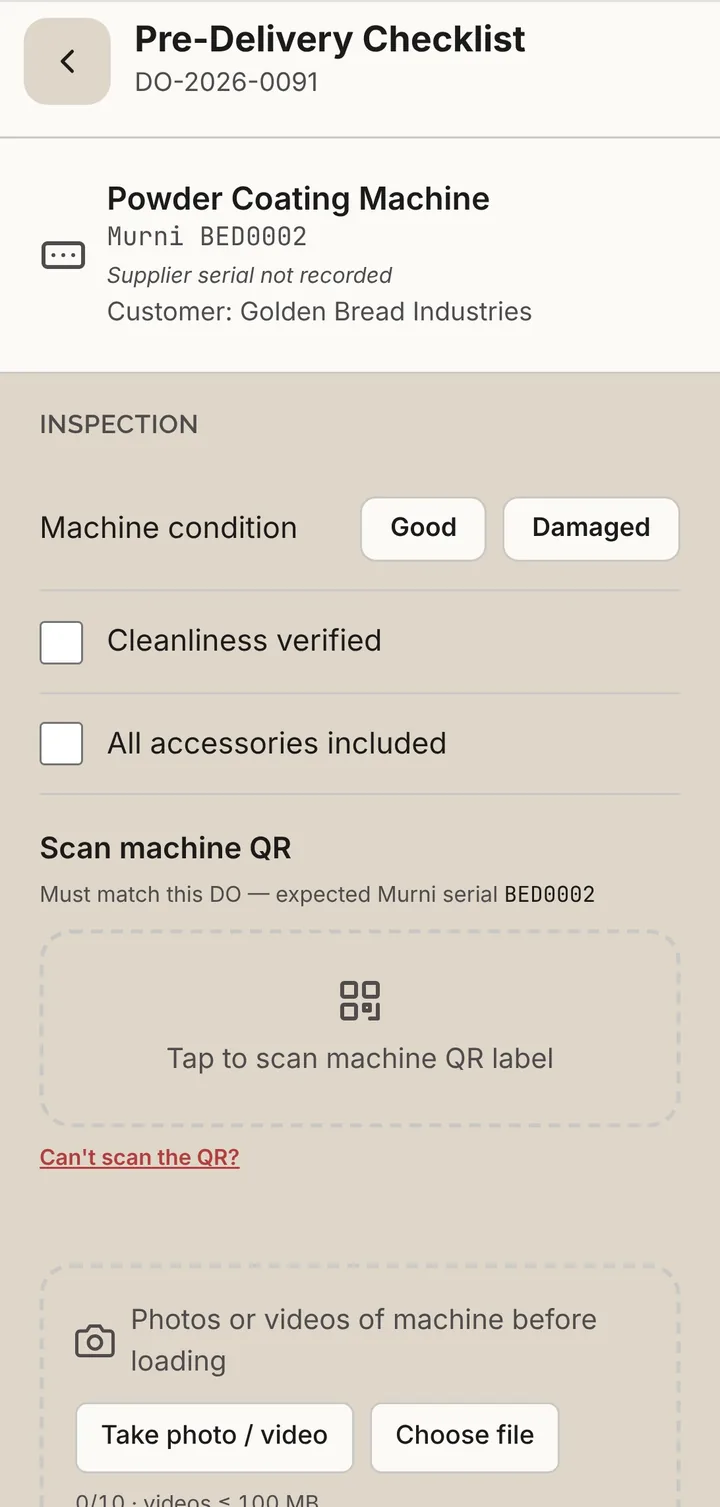
Checked before it leaves
Condition and photos, and the machine’s QR must match the delivery order.
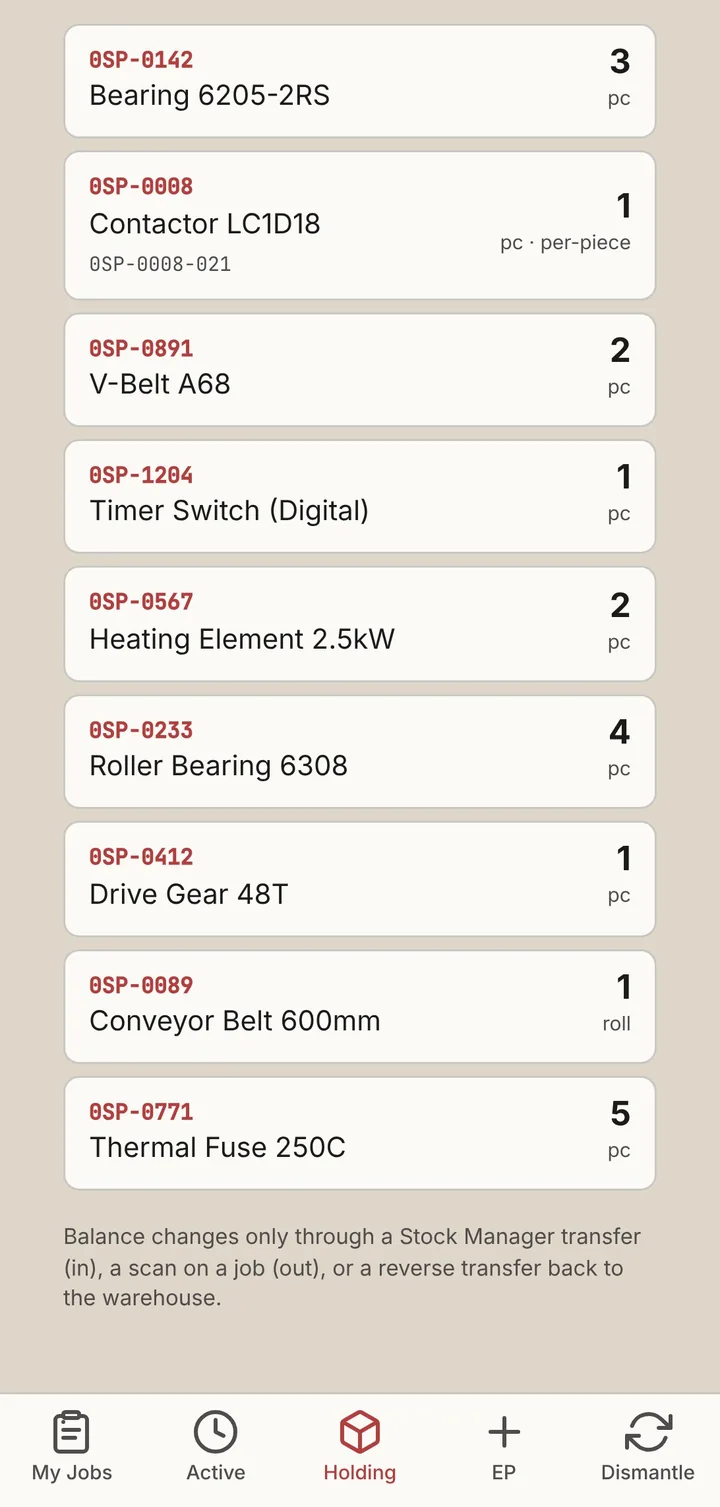
The technician’s van stock
It changes only through a transfer in, a scan on a job or a return to the warehouse.
Finance approves. AutoCount is written once.
AutoCount stays Murni’s book of record. Goods receipts, stock adjustments and won quotations reach it through AutoCount’s official interface, so finance stops typing them twice.
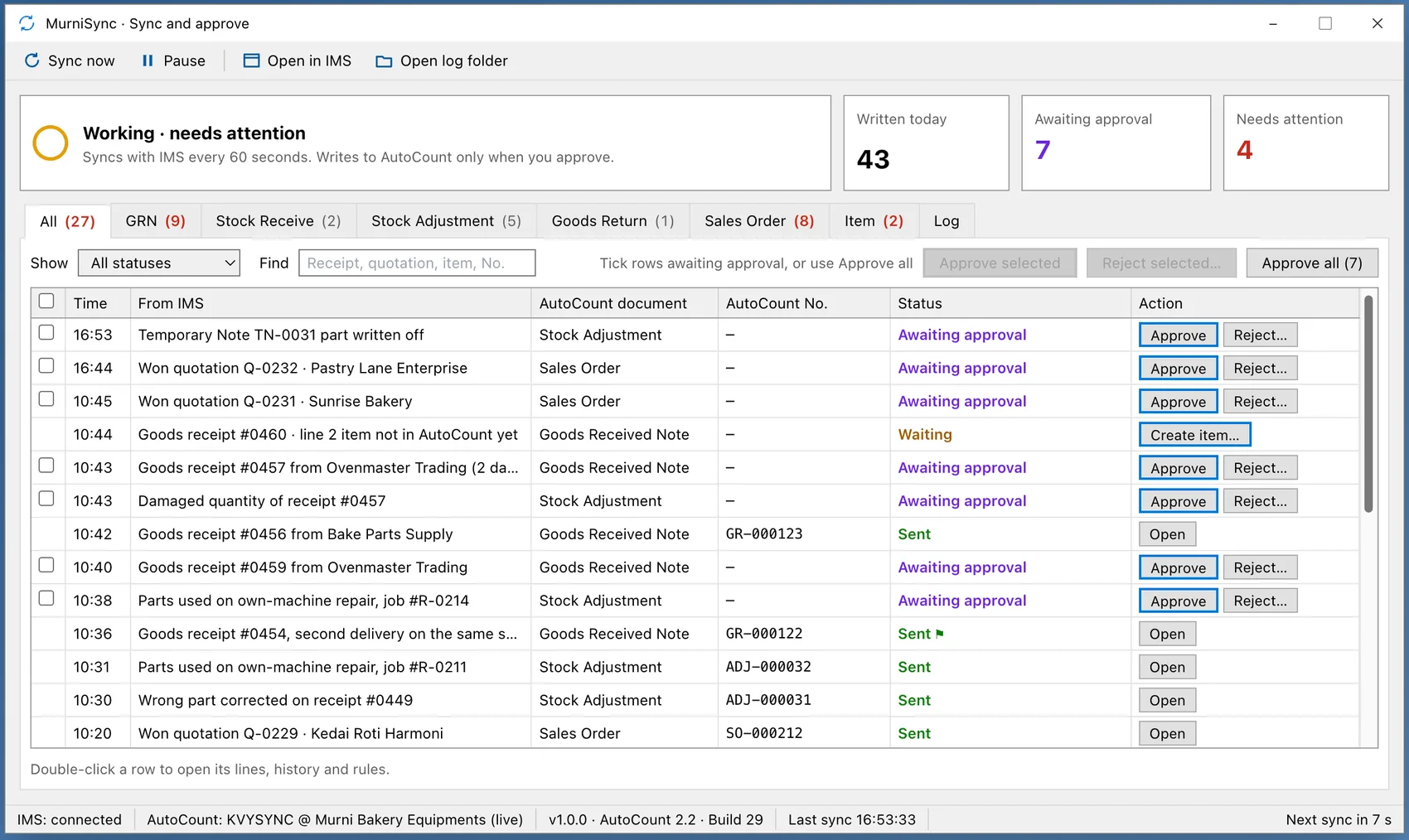
Collected every minute, written only on approval
MurniSync, a small Windows program on Murni’s office PC, picks up new stock records every 60 seconds. Nothing reaches AutoCount until finance approves it.
One reference on every document
Each record carries its own reference, checked in AutoCount before every write, so a retry can’t count stock twice.
Voided, never deleted
A wrong document is voided, so AutoCount and the system always agree on what happened.
Tested on a copy of Murni’s books
Rules the system keeps, so people don’t have to.
The checks that used to depend on someone remembering are built into the system.
Stock changes in one place only
No one can type over a stock number. Every change is a recorded movement with who, when and why.
Cost prices removed in the data
Technicians, salespeople and drivers never receive cost prices, on any screen or in any export.
Quotations that follow the rules
An overseas sale, a custom production line or a price below the floor goes to the managing director before the customer sees it.
Permission changes that can’t clash
Roles are edited on screen, every change is logged, and two people editing at once can’t overwrite each other.

Let’s talk about your operations system.
Tell an architect how your stock, machines and jobs are tracked today, and where they get typed twice.
- You own the code and the data
- Every system documented for handover
- Directly, or under your brand